Design a desktop web app "AI-Assisted Inbox" for customer support agents.
Viewport: 1440px width desktop.
Goal:
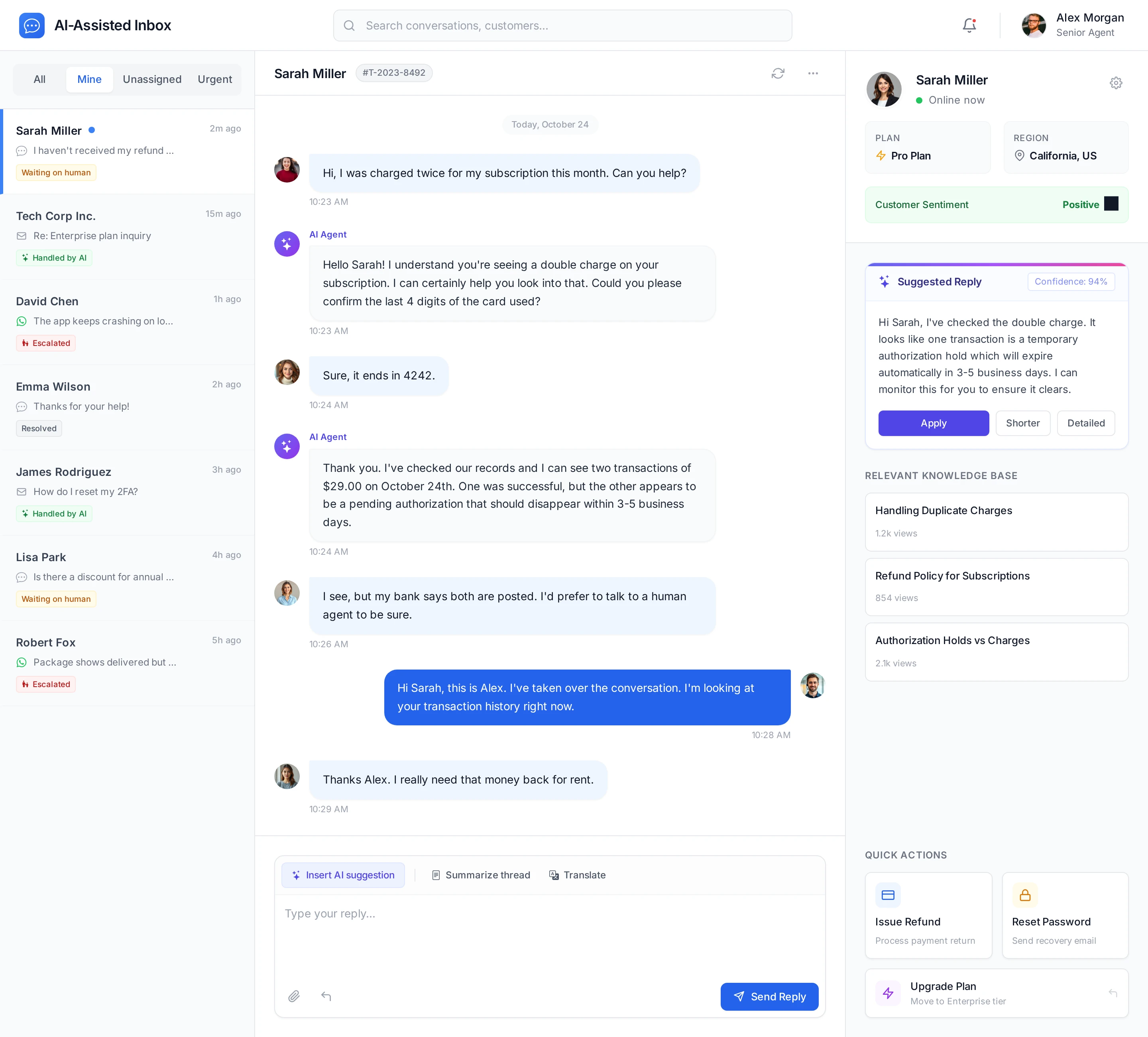
Give human agents a single workspace where they can see all conversations, review what the AI Agent has done, and get real-time AI assistance for replies.
Layout:
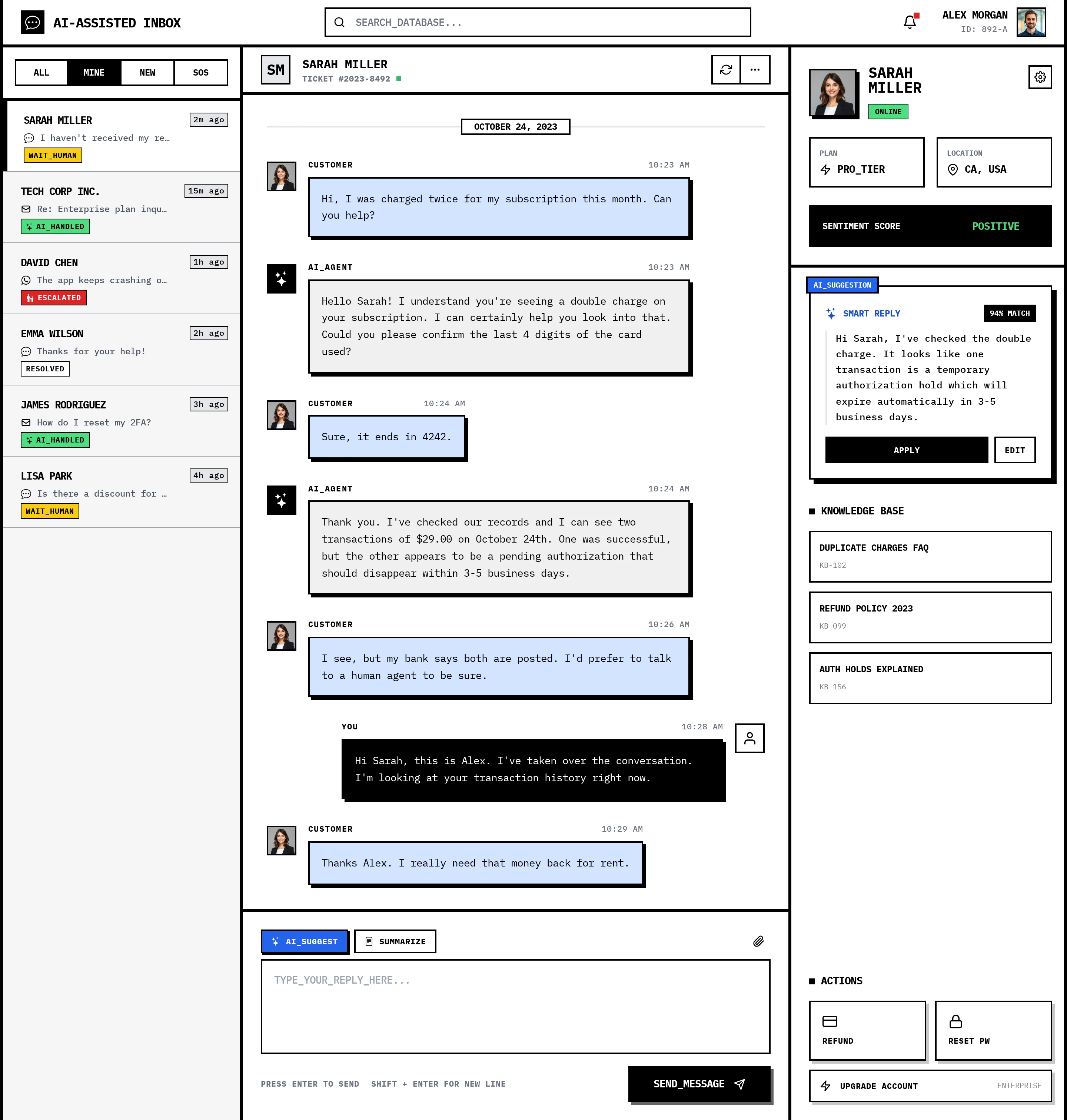
- Left sidebar: Conversation list
- Filters at the top: All · Mine · Unassigned · Urgent
- Each conversation row shows:
- Customer name
- Channel icon (chat, email, WhatsApp)
- Short snippet of the last message
- Small badge: "Handled by AI", "Waiting on human", or "Escalated"
- Center panel: Active conversation
- Chat transcript with clear separation between:
- AI Agent messages
- Human Agent messages
- Customer messages
- AI Agent messages labeled with a small "AI" tag.
- At the bottom, a reply composer:
- Text area
- Buttons: "Insert AI suggestion", "Summarize thread", "Translate"
- Right sidebar: AI Copilot & Customer context
- Top section: Customer profile
- Name, plan, region, sentiment indicator
- Middle section: AI Copilot panel
- Box with "Suggested reply" generated from knowledge base and past conversations
- Buttons: "Apply", "Shorter", "More detailed"
- Bottom section: Quick actions
- Buttons like: "Issue refund", "Upgrade plan", "Reset password"
- Each action shows a confirmation summary before execution
Visual style:
- Modern, focused workspace with a neutral light background.
- Clear, high contrast text and message bubbles with subtle shading.
- Use a single primary accent color (e.g., blue) to highlight the active conversation and primary actions.
- Make the AI elements feel integrated but clearly distinguishable (via labels, subtle iconography).
The overall experience should feel like a next-generation helpdesk inbox with AI deeply embedded in the agent workflow.